When your team works in high-stakes environments like EMS, fire, police, dispatch, healthcare, or government, “business as usual” is anything but. Your workforce has unpredictable schedules, mission-critical responsibilities, and zero tolerance for coverage gaps. For organizations like yours, choosing the right software to manage employee scheduling isn’t just about convenience — it’s about safety, compliance, and operational efficiency.
So how do you know which system is the right fit for your agency or department? Let’s break down what matters most.
Why Scheduling Software Matters More Than Ever
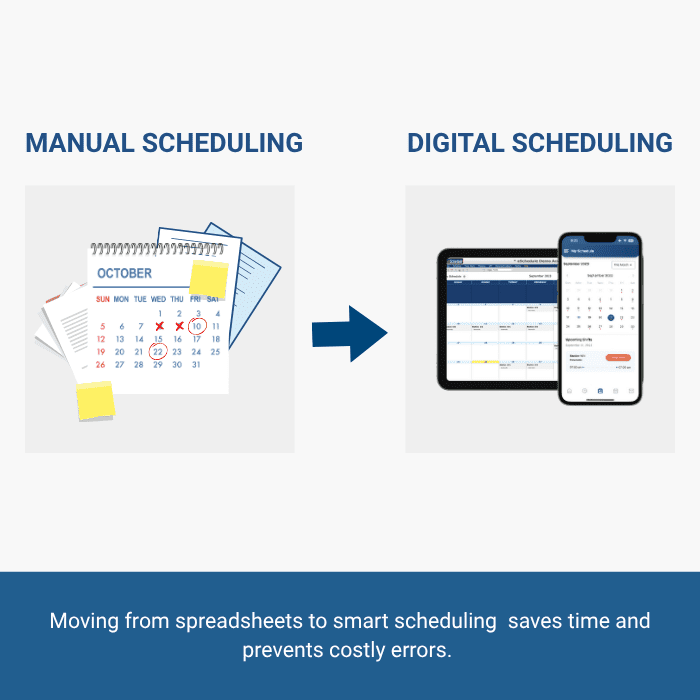
Paper calendars and spreadsheets once got the job done, but times have changed. Today, your staff juggles rotating shifts, overtime rules, credential requirements, and unpredictable call volume. Manual scheduling doesn’t just slow you down — it leaves room for errors that can result in burnout, compliance risks, or worse, lapses in coverage.
A dedicated scheduling solution keeps the moving parts aligned. For first responders, that can mean faster response times. For healthcare teams, it ensures safe staffing ratios. For dispatchers, it prevents overburdening already stretched employees. Simply put, the right tool makes sure the right people are in the right place, at the right time.
Key Features to Look For
Every organization is different, but there are universal features to prioritize when choosing scheduling software.
1. Flexibility for Complex Schedules
Your department’s schedule doesn’t look like a standard 9-to-5. Whether it’s 24/48 rotations in fire, back-to-back overnight shifts in EMS, or dispatchers working split shifts, your system must handle it all. Look for software that supports custom rules, shift patterns, and overtime thresholds without requiring workarounds.
2. Real-Time Access Anywhere
When emergencies happen, schedules change on the fly. Cloud-based software ensures that updates are visible instantly — whether your staff is in the station, the hospital, or out on patrol. Mobile access is especially crucial for teams that don’t spend much time behind a desk.
3. Credential and Compliance Tracking
Expired certifications or missed training sessions aren’t just inconvenient — they can jeopardize patient safety, put agencies at risk of fines, or even take personnel off the schedule. The best systems integrate credential tracking so supervisors can see who is qualified before assigning shifts.
4. Easy Communication Tools
A great schedule only works if people can see it. Systems that allow notifications, swap requests, or open-shift bidding right in the platform cut down on phone trees and text chains. Less time coordinating means more time focusing on the mission.
5. Integration with Payroll and Timekeeping
Scheduling is only one piece of workforce management. When your software connects directly with payroll and timekeeping, you eliminate double entry, reduce errors, and get a clearer picture of labor costs.
Avoiding Common Pitfalls
It’s tempting to choose the cheapest or most familiar option, but missteps here can create long-term headaches. Here are a few red flags to avoid:
- One-size-fits-all systems: Tools built for corporate offices rarely meet the needs of 24/7 emergency response. Look for solutions purpose-built for public safety and healthcare — like those from eSchedule, a team that truly understands the demands of around-the-clock operations.
- Steep learning curves: If your team struggles to adopt the software, it won’t deliver value.
- Hidden costs: Some platforms tack on fees for features like mobile access or reporting. Make sure pricing is transparent.
- Limited support: A responsive support team is invaluable, especially when schedules can’t wait.
Real-World Scenarios
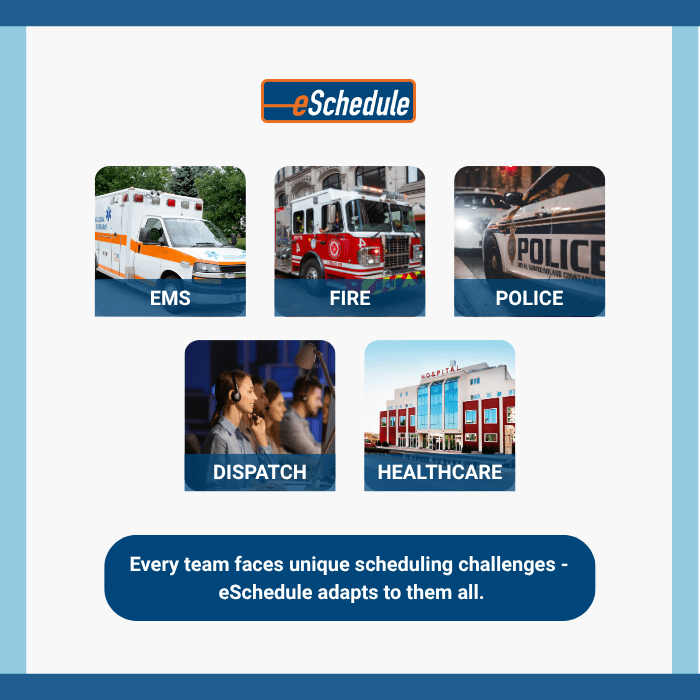
- EMS: An agency with 100+ medics uses credential alerts to avoid putting someone with an expired certification on a 911 call.
- Fire: A department running 24/48 rotations needs an automated way to prevent accidental overtime violations.
- Police: Officers working mandatory overtime benefit from real-time visibility into who’s on shift to reduce fatigue and maintain readiness.
- Dispatch: A 911 center uses shift-bidding to fill vacancies quickly without overloading supervisors.
- Healthcare: A hospital unit balances staffing levels with patient census, ensuring compliance with state-mandated nurse-to-patient ratios.
Each of these examples highlights how the right software translates into safer, smarter operations.
Choosing the Right Partner
At the end of the day, software is only as good as the team behind it. Look for a provider that understands the unique needs of public safety, healthcare, and government agencies. Experience matters — especially when your mission doesn’t leave room for trial and error.
That’s where eSchedule comes in. Since 2004, we’ve partnered with agencies across the country to simplify scheduling, reduce administrative workload, and support the people who keep our communities safe and healthy.
Smarter Scheduling, Stronger Teams
Employee scheduling isn’t just a back-office function. It’s the backbone of readiness, compliance, and efficiency for EMS, fire, police, dispatch, healthcare, and government organizations. The right software saves time, reduces stress, and ensures your team is exactly where they need to be — ready to serve.
When coverage, compliance, and safety are on the line, there’s no room for guesswork. Choosing a scheduling solution built for your industry is one of the smartest investments you can make.
Ready to see how modern scheduling software can work for your organization? Learn more about eSchedule today.
