
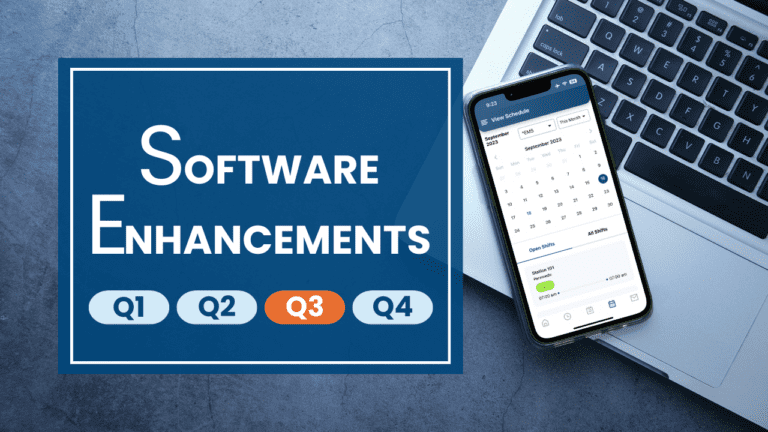
Recent Enhancements
User Profile in Mobile App
Fixed an issue with user profile updates not saving when made in the mobile app for customers with the audit trail turned on.
PTO Requests
Added functionality to designate which PTO types are requestable by basic users versus administrators. Certain PTO types can be removed from the request dropdown list for basic users, while still being available for administrators. If you’d like remove any PTO types from the dropdown list for basic users, please contact support by submitting a support request case through the Help menu.
PTO Approvals
Fixed an issue with filters not saving when approving multiple PTO requests. You can now use the filters and approve the requests without having to reset the filters after approving each request.
Geofencing
We have added geofencing functionality as a way to restrict where users can clock in and out. You will find this new option within the Time Clock / Authorize Time Clock PC’s menu. The geofencing technology can be used for restricting the clock in and out location on both the website and soon the mobile app.
Geofencing is primarily intended for mobile devices and will be very accurate with the eSchedule mobile app. Certain network configurations and PC hardware can limit the accuracy of GPS on a PC. If you enable Geofencing, we would recommend that you also authorize any approved PC’s using the Chrome Extension or External IP address options.
In the first release of Geofencing, you will have the ability to draw one fence around a particular area. We are working on adding functionality that will allow administrators to draw multiple fences so that users can clock in and out in different, distinct areas.
Bug Fixes
We addressed the following bugs:
- Fixed accented letters appearing as Martian on the schedule
- Fixed bug where buttons on a form didn’t always perform as expected
- Forgot Password on mobile app now works
Recent Mobile App Enhancements
View Filter in Mobile App
The eSchedule mobile app now includes a filter in the View Schedule screen, allowing users to filter the schedule by certain shifts or groups.
Mark as Read
Notifications, which are messages sent internally within eSchedule, typically by an administrator, now have a “Mark as Read” option, which gives users the ability to acknowledge they have read the message. Once a message has been marked as read, it is removed from the notifications list in the app.
In the Mobile App Pipeline
As we continue our primary focus of building out the basic user experience in the mobile app, we are very excited to share that we are hard at work developing the following functionality:
Shift Swaps
From the My Schedule screen, users will soon have the ability to initiate shift swaps and covers.
Clock In/Out
Users will be able to clock in and out through the mobile app. Additionally, administrators will be able to control where employees can clock in and out through new geofencing technology we’re building in to eSchedule.
View Timecard
Timecards will be available in the mobile app, allowing users to view their in- and out-times, hours earned, shifts worked, comments and totals by day and by pay period.
View PTO Balances
Users will be able to view their current PTO balances in the mobile app.
PTO Requests
From both the lefthand menu and the PTO Balances screen, users will have the ability to submit PTO requests through the mobile app.
We are also working on longer term enhancements to add more administrative functionality, including sign-off’s, bid approvals, swap approvals and PTO approvals, which will all be in a later release of the app.
eSchedule Mobile v2.0 Coming Soon!
We are very excited to share that we are putting the finishing touches on a major release of the mobile app, v2.0, which will include the following functionality:
Shift Swaps
From the My Schedule screen, users will soon have the ability to initiate shift swaps and covers.
Clock In/Out
Users will be able to clock in and out through the mobile app. Additionally, administrators will be able to control where employees can clock in and out through new geofencing technology we’re building in to eSchedule.
View Timecard
Timecards will be available in the mobile app, allowing users to view their in- and out-times, hours earned, shifts worked, comments and totals by day and by pay period.
View PTO Balances
Users will be able to view their current PTO balances in the mobile app.
PTO Requests
From both the lefthand menu and the PTO Balances screen, users will have the ability to submit PTO requests.
Bid Report
Basic users, schedulers and administrators will have the ability to review and approve or reject bids through the Bid Report.
Swap Report
Using the Swap Report, all users will be able to review and approve or reject swap and cover requests.
PTO Report
In the PTO Report, users will be able to view and approve or reject PTO requests.
Shift Reminders
From the Settings menu, users will be able to set a default shift reminder, which will trigger a push notification to remind the user each time they have a shift starting soon.
While extensive testing is being done, as with all new major app releases, we expect that there will be some bugs that will need to be addressed post-release. We would love your help in identifying any issues as we strive to make the app the best scheduling and timekeeping tool on the market. Please contact support if you run into any problems with mobile app.
