
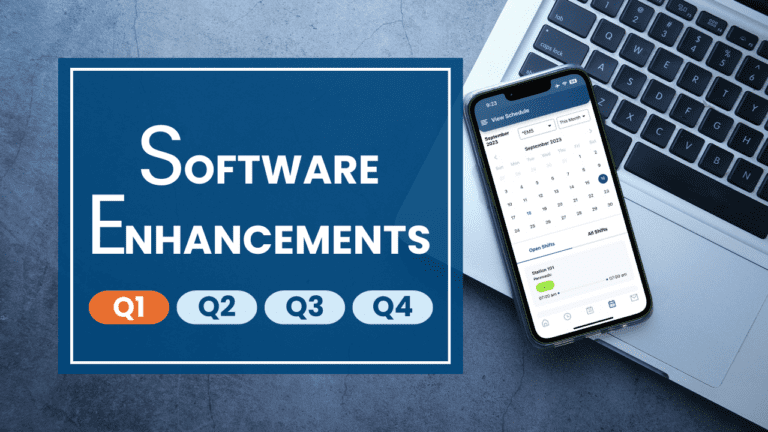
Latest Enhancements
Years of Service on Member Report
You now have the option to include the years of service on the member report. The system generates the years of service based on the difference between the employee’s start date and current date.
Edit in Monthly View
A long requested enhancement to edit shifts in the Monthly view is now available. You can see open shifts, and edit the schedule just as you can in the Hourly, Daily and Weekly views. You can add and remove someone from a shift, update shift times and notes, message members of an open shift, and move someone from one shift to another, all from the Monthly view!
We are also working on adding the ability to hide/show open shifts and turn on/off editing in the Monthly view and should have those new schedule preferences available within the next couple of weeks.
Activate/Deactivate Forms
Want to keep your form, but hide it from view to prevent any new submissions? Deactivate it today! A new “Active” column now appears in the Form Management page. Simply uncheck the box in this column to deactivate the form and hide it from view.
Form Messaging
The option to email forms to a pre-selected group of users has always been available in the past. Now, you will be able to choose the option to also (or only) send the form using eSchedule’s internal messages. Form Admins can choose this option in the same way they choose to email forms today.
Radio Buttons in Forms
In addition to date, time, text, drop-down, member, vehicle, mileage and signature fields, and labels and checkboxes, you can now add radio buttons to the forms you create!
Chrome Extension Stabilization
We recently fixed an issue where the Chrome Extension used to authorize Time Clock PC’s would fail to authenticate the PC if the browser was left open for an extended period of time.
Advanced Training
Would you like to learn more about eSchedule to ensure your organization is enjoying all the benefits of the system? Or are you a new administrator still learning the ins and outs of eSchedule? We are here to help! Of course, you can always access the Knowledge Base in eSchedule, which is chock full of helpful videos and articles. Or, if you’d like more hands-on training, please feel free to reach out to us at support@goeschedule.com to schedule time for advanced training with our support team.
Customizations
Did you know we have custom programmers on staff who can create custom solutions for any unique needs you might have? Our custom programming fees are the lowest in the industry and can be easily offset by the tremendous value a custom solution that’s designed to further automate and streamline processes can provide. We have created custom reports, payroll exports, views, input options and complex calculations for several customers in the past. Feel free to reach out to us if you have a need for a customization.
Product Roadmap
We’re excited about the year ahead for eSchedule with many exciting enhancements on our product roadmap, including updated schedule views, publish schedule functionality, and self-administration options. Of course, we are also thrilled to be releasing the eSchedule mobile app soon and will be focused on its continued development.
eSchedule Mobile App
We are excited to share that the beta test for the eSchedule Mobile App is under way and going well! We expect to release the app to all eSchedule users this month!
Please keep in mind the first release of the app will be focused on basic functionality, like viewing My Schedule, viewing the organization’s schedule, and bidding on open shifts.
You can also receive shift, shift swap, shift bid, event, VIP and PTO notifications as push notifications, which should prove to be a great way to continue to improve and streamline communications across your teams.
Additionally, you can receive and review internal messages, update your profile, change your password, access your eSchedule website, and view all the information that displays on the dashboard, including the system message, my schedule, upcoming events, certifications and bid, swap and time off requests.
We are already working on adding additional functionality to future releases, with these priorities shaping the development plan:
- The basic user experience
- Additional scheduling functionality, such as sign-off and swaps
- Time off requests
- Clock in and out, with geofencing capabilities
- Timecard display
We look forward to providing the mobile app at no additional cost to all of our customers and hope that it adds value now and with each future version we release!
Mobile App Updates
We are excited to have the eSchedule mobile app released and generally available to all customers as of March 22nd, 2023. Based on your feedback over the past few weeks, we’ve made a few updates to fix bugs and improve performance, including:
- Fixed issue causing the app to crash upon login
- Updated the Update Schedule screen to include a back button
- Updated app to display correctly when users are using dark mode
- Updated app to only allow users to bid on shifts that they are cleared to work
- Added back button option on the Update Profile screen
- Fixed System Message to display correctly
- Made updates to user profile, including making fields optional and correcting issue with changes not being saved
Please keep in mind the first release of the app will be focused on basic scheduling functionality and messaging. We will be adding additional scheduling and timekeeping functionality in future releases.
